ADD YI IoT Camera
ADD YI IoT Camera
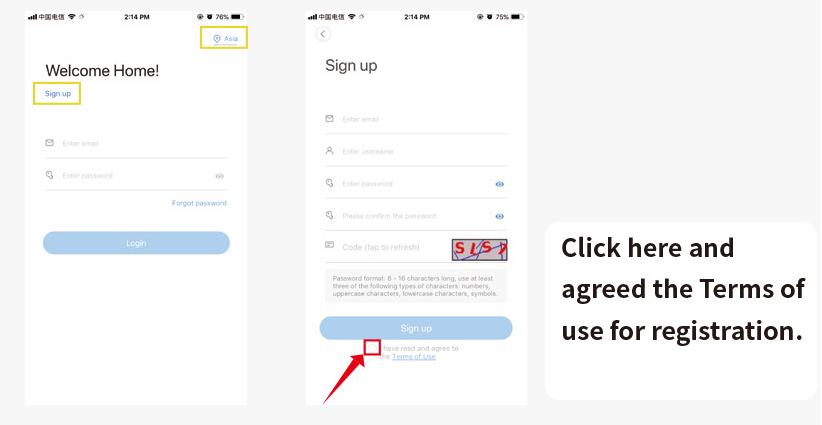
1. Register and log into the APP
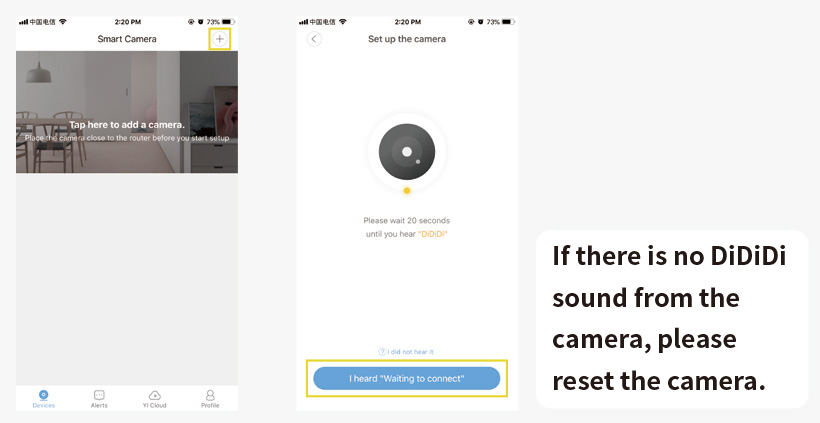
2. Click ‘+’ > I heard’Waiting to connect’
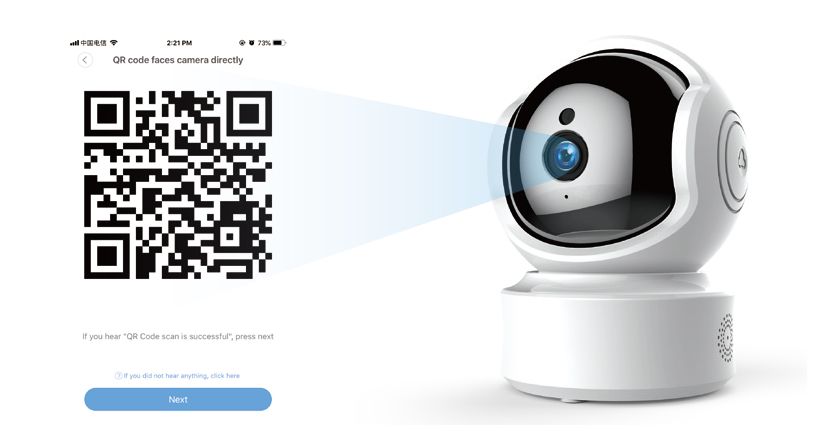
3. Enter your wifi password, and then make the camera lens face to the QR code directly. After there is voice prompt from the camera, click ‘Next’ and wait for connecting.
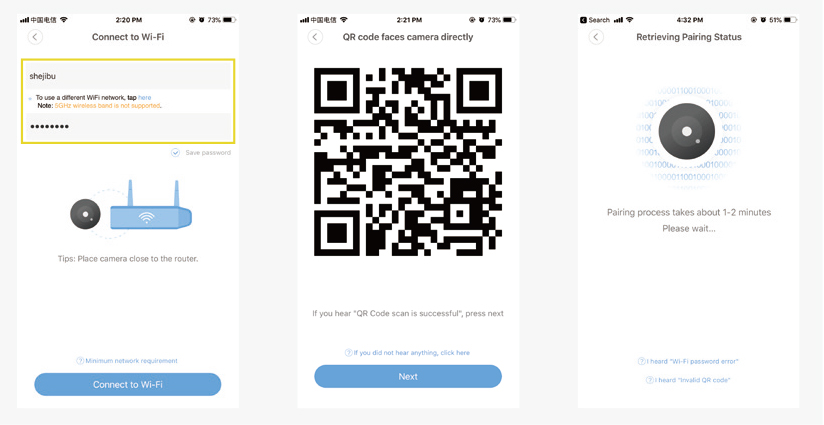
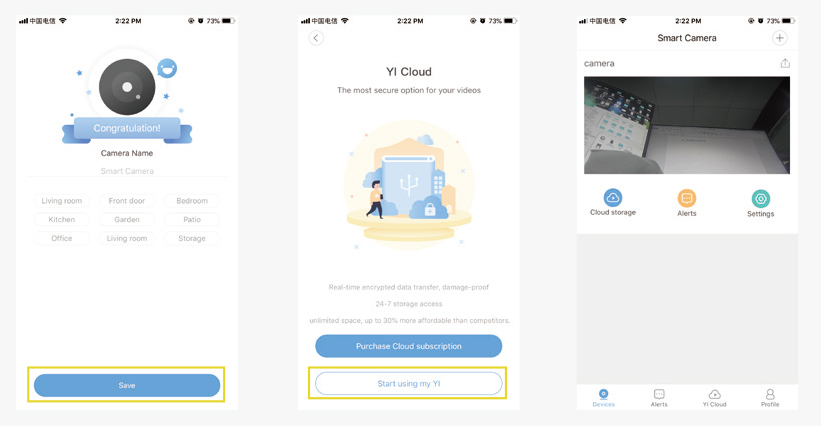
4. After connected successfully, named your camera, and it will complete.
Finally, there will be a prompt that if you need cloud storage or not. If there is no need, just click ‘Start using my YI’ and it is ok.
The hidden wifi cannot be supported.
The special characteristics cannot be supported.
The settings on the router cannot be started, such as AP isolation, anti rubbing network to restrict wifi access.
https://cameratechy.com/
Comments
Post a Comment