Reset YI IoT Camera
Reset YI IoT Camera
Press and hold the reset button for 5 seconds, the camera will give a voice prompt to indicate that the reset is successful.
The camera will return to factory settings after reset, you need to reconnect the YI IoT camera.
YI IoT Camera reset button location
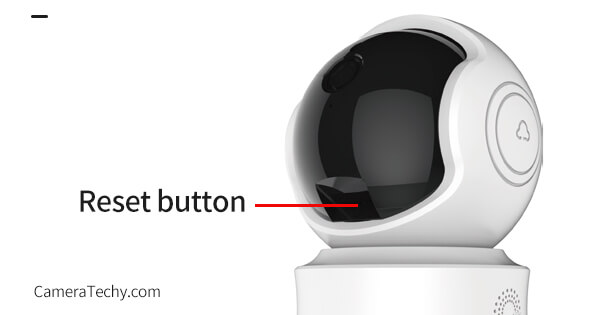
Indoor Camera
The reset button of the indoor camera is at the bottom of the lens or at the back of the camera.
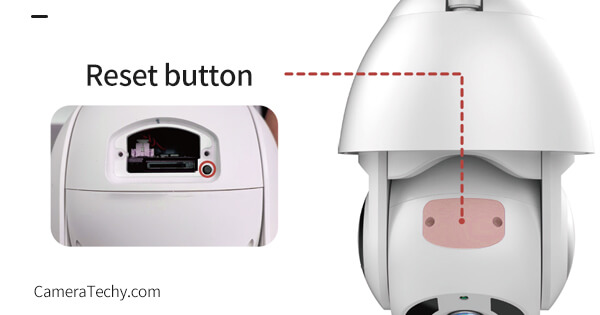
Outdoor Camera
The reset button of the outdoor camera is at the bottom of the lens, you need to open the cover with a screwdriver.
https://cameratechy.com/
Comments
Post a Comment